LeRobot SO-ARM100: DIY Build Guide
The viral sub-$400 6-DoF robotic arm for training Vision-Language-Action (VLA) AI models on consumer GPUs.
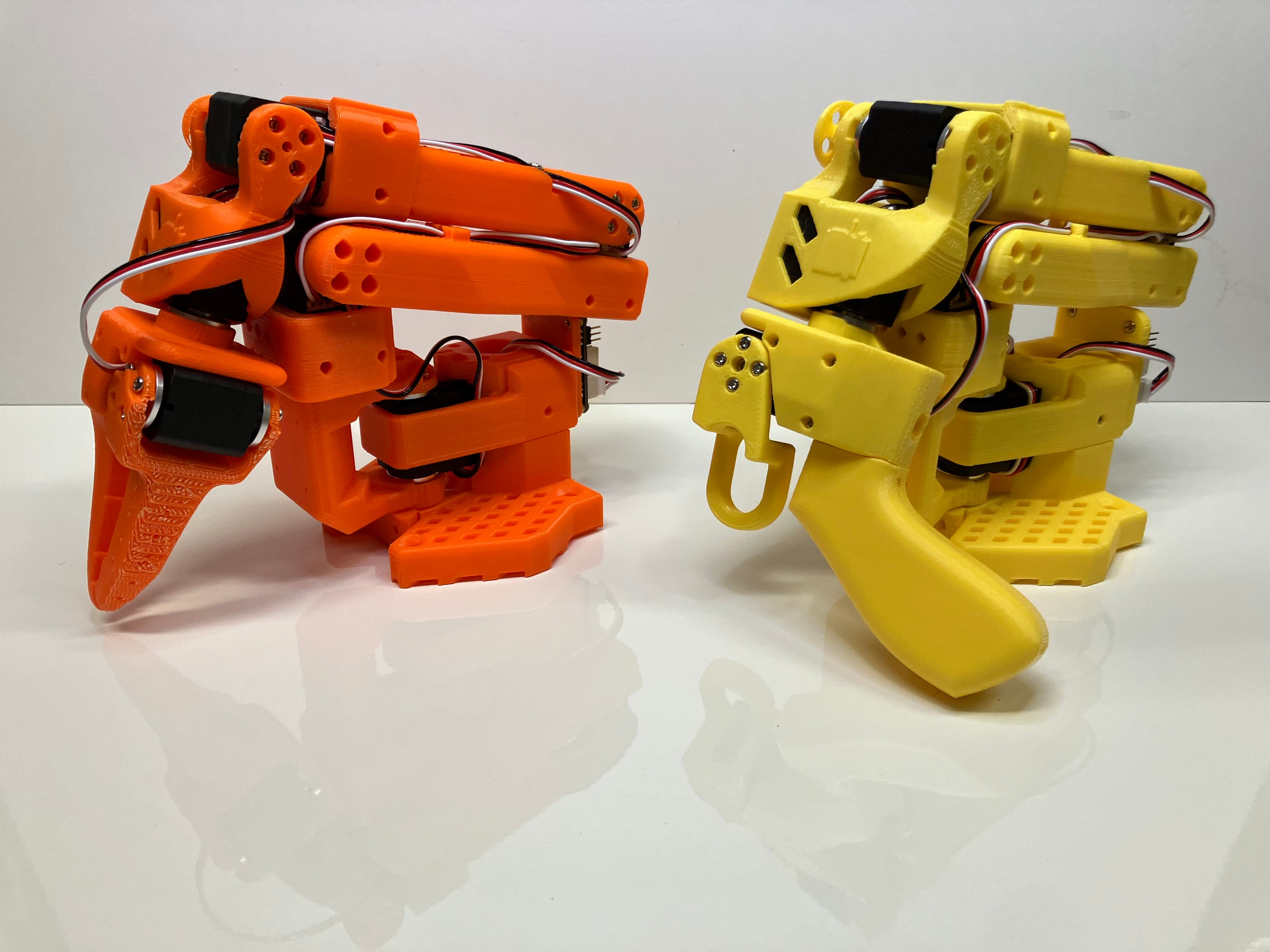
Why LeRobot is the "Linux Moment" for AI Robotics
Historically, robotic manipulation research required $30,000+ industrial arms (Franka Emika, UR5) and proprietary closed-source driver stacks. Hugging Face launched LeRobot with the radical premise of democratizing physical AI.
By combining low-cost 3D-printable arms like the SO-ARM100 with modern imitation learning (Action Chunking with Transformers and Diffusion Policies), any developer with a consumer GPU can train a robot to fold clothes, pick up keys, or pack boxes.
SO-ARM100 Bill of Materials (BOM) & Parts List
Official recommended off-the-shelf parts to assemble a 6-DoF LeRobot follower arm under $300.
High-precision serial bus servos with 360-degree magnetic absolute encoders for joint feedback.
ESP32-based USB to UART serial bus servo controller with integrated power regulation.
Stable switching power supply providing clean current for all 6 active servos.
High-rigidity filament to 3D print the SO-ARM100 arm segments, base turntable, and gripper.
Hex socket screws, brass heat-set threaded inserts, and 6700ZZ miniature ball bearings.
One camera mounted overhead and one on the wrist gripper for LeRobot multi-camera dataset collection.
4 Steps: From 3D Print to Neural Policy
13D Print Arm Chassis & Base
Download the official CAD STL files from the LeRobot repository. Print with PETG or PLA+ at 40% gyroid infill for maximum structural rigidity during high-torque accelerations.
2Assemble Feetech STS3215 Magnetic Servos
Bolt the 6 serial bus servos in daisy-chain wiring. Connect the Waveshare bus servo adapter to your host PC via standard USB-C.
3Collect Demonstration Teleoperation Data
Use a lightweight 3D-printed leader arm or game controller to record 50 episodes of a target task (e.g. grasping a marker and placing it in a cup).
4Train & Evaluate with PyTorch ACT / Diffusion
Run the native LeRobot training script. Train for 2-3 hours on a single RTX 3080/4090 GPU, and run autonomous visual closed-loop evaluation.
git clone https://github.com/huggingface/lerobot.git
cd lerobot && pip install -e .

# Record 50 teleoperation demonstrations
python lerobot/scripts/record.py --robot-type so_arm100 --task "pick_and_place"

# Train ACT (Action Chunking with Transformers) policy
python lerobot/scripts/train.py --policy act --dataset lerobot/so_arm100_pick_and_place